For those of you that aren't familiar with using the software to create your pages, now is the time to begin the process. First, view the videos: Modular Design Template, Page Designer Basics, Page Designer Image Effects, Page Designer Text Effects. You will find these videos in the Jostens Digital Classroom section. After viewing the videos, choose a page towards the end of the book to practice what you have learned. Let me know what page you are working on so I can check in to see what you have experimented with. There will be much more guidance when it comes to creating a page, but this is a good place to start.
Sunday, September 7, 2014
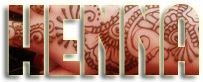
Yearbook To learn how to create text using a photograph for the fill using Adobe Photoshop, simply create a Clipping Mask. You can do this by placing a photograph over the text you would like to use in the layers panel. Then go to Layer>create clipping mask and you are all set. Add f/x to the text and you have an exciting graphic. Create your own clipping mask in Photoshop, add an effect to the text then save in the Yearbook 2015-2016 folder in shared drive in the Photoshop folder. Make sure you save it as your last name so I know that it has been completed.
In this lesson you will add a variety of shapes and text to your creative self portraits. Pay attention to the negative space in your work to find a place where you can add these elements without making your artwork look crowded. We are trying to create depth and interest in our piece by learning how to use the f/x and shape tools. You will also be required to teach yourself how to make a custom shape using the Shape Tool Tutorial below and "text on a path" by searching for tutorials on the internet.
The conception of any great work of art begins in your mind. We have all these wonderful ideas but we need to be able to communicate our ideas to the viewer. A "thumbnail" sketch can help us develop our ideas. Sometimes artists make 3 or 4 sketches for the same painting, trying to work out the best composition. I will be using this Sketchbook Rubric for your initial sketches of projects. We will compare the sketches to the final work of art. Having a thoughtful plan or design for any work of art is essential, but it isn't etched in stone, just drawn on paper, so changes can be made to your piece as it develops.
The first lesson in Photoshop will help you learn some basic tools and functions of the program, while creating self-portraits applying the 5 color schemes you already are familiar with.