Sunday, March 16, 2014

"Describe" The First Step of Critiquing a Work of Art

Intro to Drawing and Painting

Take a look at Van Gogh's painting of, "Starry Night".  Use the checklist below to help you be thorough when describing the look of the painting.


1. Describe what you see. This is the objective (not subjective or personal) portion of the Art Critique. Objective information or analysis is fact-based where as subjective information is based on personal opinions, interpretations, points of view, emotions & judgment.
Objective Information involves a technical description-nothing more. It should include things like:
ü  Artist's name.
ü  Title of work.
ü  Type of artwork (acrylic, oil, pencil...etc)
ü  Subject of the painting (scene).
ü  Objects in the painting.
ü  First impression. Note the characteristics of the artwork that first jump out at you.
ü  Colors used (complementary, analogous, monochromatic, tints...etc)
ü  Shapes, lines and texture.
ü  Light saturation.
ü  Sensory qualities. Identify the predominant mood and visual effect.


Thursday, March 13, 2014

Erik Johansson


Erik Johansson has an incredible way of manipulating images using photoshop.

Check out more of his work at his website.


Wednesday, March 12, 2014

Special Effects in Photoshop


Designing for the Web

In the Advanced Web Design class students work independently on projects they are interested in. Austin has been working on creative special effects using Photoshop.  Here are some examples of his work and links to tutorials he used.  Fantastic work Austin!


http://www.youtube.com/watch?v=03hA_TqLyTA


http://www.youtube.com/watch?v=D0b4vqRA0qQ


Tuesday, March 11, 2014

A New World!

Designing for the Web

Now that you have completed your research on Surrealism and are familiar with Photoshop, it is time for you to create your own unique work of art.  Your artwork could make a statement about a global issue or you could focus on something more personal.  Some students in the past have created light-hearted works of art and others delve into more somber issues...it is totally up to you.  We will be animating this photoshop image in Flash so think about ways you will add movement and sound in the future.  The images you see below all include the artist...you can be in your art as well. 
Please read the Surrealistic Lesson Document for more details on the assignment.

Jamie G 2011

Walter K 2011

Josh D 2010

Monday, March 10, 2014

Designing for the Web

Surrealistic works of art create a dream-like environment. To learn more about this art movement research this intriguing style of art...then start thinking about an image you can create in Photoshop.  Complete the following journal entry on Surrealism and view previous student work for inspiration.


Created by Luke S

Created by Tim O.
Created by Brandon M.

Thursday, March 6, 2014

Picasso!

Advanced Drawing and Painting


We will be looking at works of art by Pablo Picasso in the next couple of weeks.  I first fell in love with the work of Picasso when I was in Barcelona and visited the Picasso Museum.  Up until then I hadn't realized that as a teenager he was painting stunning realistic oil paintings, rendering fabric like Da Vinci.  I always thought of Cubism when I thought of Picasso, not realism. My limited exposure to Picasso didn't make me feel like he was an artist that I needed to discover more about...was I wrong.  His work was constantly evolving...his critics and the world loved him for that.

At the age of 76 Picasso said, "Everything I have done is just the first step on a long path. It is only a preliminary process, which must be developed much later on.  My works must therefore be considered each in relation to the others, always taking into account what I have done and what I am going to do."

A Unique Portrait


Advanced Drawing and Painting

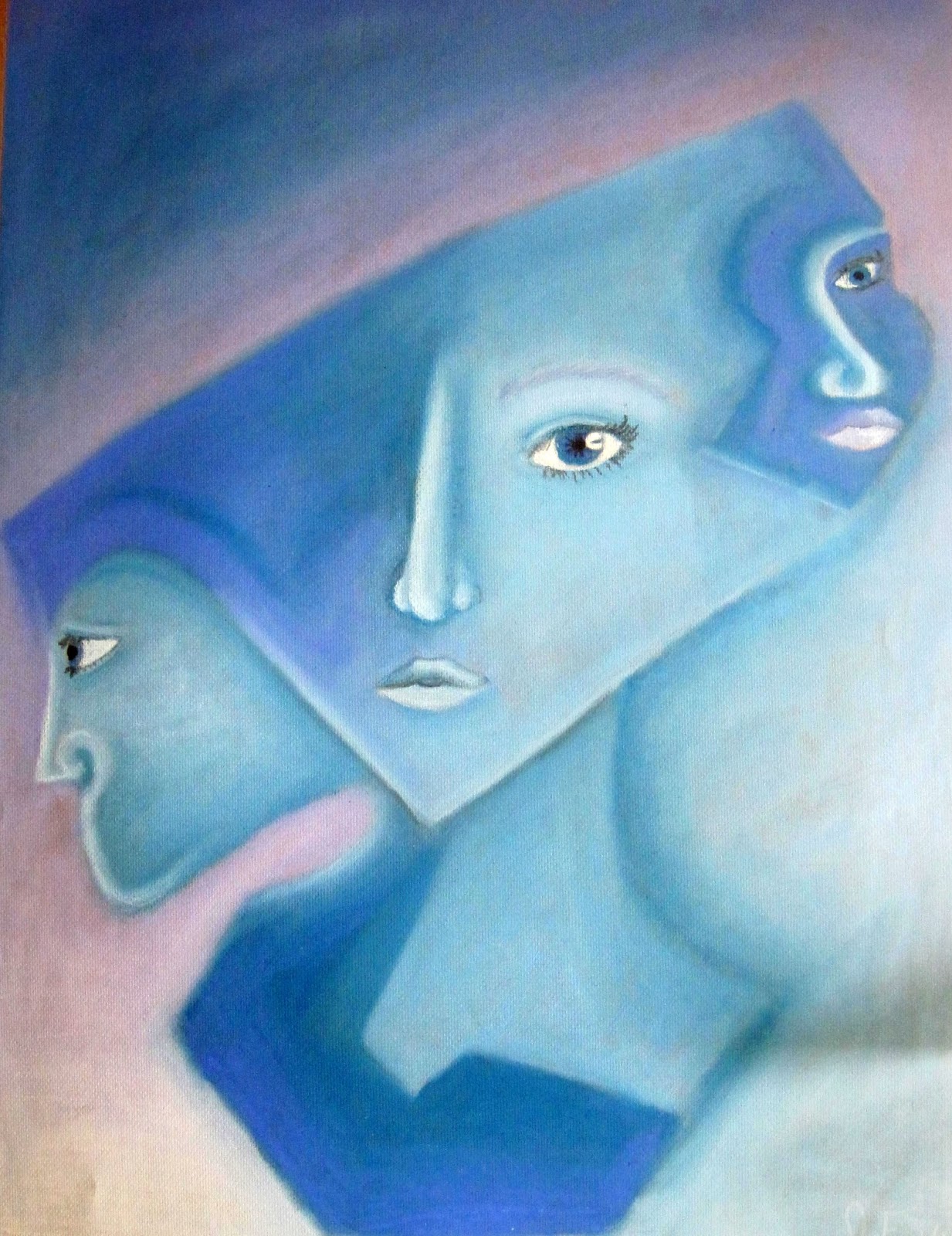
Now that we have studied the art work created by  Picasso in class and discussed the amazing evolution of his art, it is time to create a work of art based on the portraits he painted during and after the birth of cubism.  Your portrait should somehow combine 3 views of a face.  How do you do this?  Work it out in your sketchbook.  Overlap different views of a face you have already drawn or someone you want to draw.  Combine the faces by connecting them with lines, omitting some features, emphasizing others...experiment.
Picasso painted hundreds and hundreds of original creative portraits of people.  Some were realistic, expressionistic, cubist...etc.   Even though you are using Picasso as inspiration your portrait will be an original because you will put your twist on it.

Color:  Choose an analogous or monochromatic color scheme for the portrait  then decide if you want the background to stay within that color scheme or clash with it.  

Movement: Create movement within the piece by placing like colors in different areas of the artwork or by drawing lines that connect the faces or areas of the artwork. 

Emphasis:  Where is the focal Point? Is there an place that you want the viewer to go to in your piece?  How can you lead them there? Maybe with color or placement of shapes and lines. 

Balance:  When deciding your composition weight the areas evenly.  Notice below how negative and positive space are balanced. 


By Jane B, 2012


Clare H, 2012
Clare H, 2012


Brooke D, 2011

Josephine F, 2011


Picasso's sketches of James Sabartes.

Final painting, notice the references to the details in the sketch.

In this painting Picasso is starting to combine views of features.


Wednesday, March 5, 2014

Creating a UNIQUE creature

Designing for the Web

There are tools in Photoshop that can make elephant skin look like lizard skin. In this lesson you will delve deeper into the magic of photoshop. Take a look at your next lesson to find out more.