Wednesday, November 28, 2012

Flash Final

Designing for the Web

Make your final Flash project a personal work of art that reflects your style and interests. Your final project in Flash should include:
  • shape, classic, motion, and/or motion presets
  • sound
  • ActionScript (play button)
  • a point of view and a clear theme
Below are two examples of ways to approach this project (they are works in progress...hopefully they will be finished soon).


Monday, November 26, 2012

Color

Intro to Drawing and Painting

Now that you have been drawing realistic features, trying to create the correct tones in the skin and hues in the facial features it is time to move away from reality and use an imaginative, expressionistic color scheme.  Why do this?  Because art isn't only about being able to manipulate a medium to represent reality it is also used to express oneself.   During a time when Picasso had experienced loss he created paintings that reflected his mood and used the color blue to accentuate this. The fauvist used many vibrant colors, not necessarily to express happiness or jovial times, but to break away from traditional art.  In the next few classes we will explore color schemes.  Take a look at the work below to see colors used in a non-traditional way. Also review the Color Vocabulary List because there will be an assessment of color terms at the end of the project.

Picasso

Emil Nolde

Matisse

Matisse

Monday, November 19, 2012

Creating a Slide Show in Flash

Designing for the Web

Now that you know how to  create Shape, Motion, and Classic Tweens it is time to learn how to create a slide show in Flash.  The images below are fading in and out by adjusting the "alpha" in the color effect area of the properties panel.  

Begin by inserting your image to a layer (File-import image to stage), convert it to symbol-choosing movie clip for your option.  Then insert a key-frame 10 frames down the timeline. Insert another keyframe on Frame 25.   On frame 25 make the alpha  0.  After doing this create a Classic Tween between  frame 10 and 25.   On a new layer insert a key-frame where the first picture begins to fade out (frame 10).  Import a new image. Convert to symbol. On this frame the alpha will be 0.  Insert a keyframe 15 frames down the timeline (frame 25).  At this frame the alpha will be 100.  Create a classic tween. Insert a keyframe 10 Frames down the timeline (frame 35).  Insert another keyframe 15 frames down the timeline.  At this frame the alpha will be 0.  Create a classic tween between (frames 35-50).  Repeat this process by inserting a key frame where the previous picture begins to fade out. 


The final part of the slide show is fading the very first picture of the slide in where the last picture is fading out.  This should create a smooth transition from beginning to end.  

When creating a slide show you can speed up or slow down the transitions by putting fewer or greater frames in between the key-frames.  There are many ways to make slide-shows, this is only one way to get you started.
Now create one of your own and place in the "Flash Intro" folder as an .swf when finished. Save as "lastnameslideshow"

Wednesday, November 14, 2012

Shoreline Arts Trail 2012!!!

Get a group together, explore with your family, or go with a friend and meet an artist that lives and works in your community. Learn about the artists participating HERE


If you are in one of my classes you will be required to learn about an artist in the community this semester, so take advantage of the Open Studios this weekend.  When you visit the studios bring your sketchbook and ask the artist how they got started, if and where they studied art formally.  View their work, write about their art using art vocabulary in your own voice.  Use the Four Steps of Critique to do a more formal analysis of one of their works of art.  The most beneficial part of this experience will be talking to the artist.  If you cannot make any of the open studios this weekend start doing some research on artists in the community to see which ones you would be interested in visiting.


Out of this WORLD!

Designing for the Web

These Surreal works of art utilize many of the tools we have been learning in Adobe Photoshop.  Some very interesting photos that are definitely out of this world!

Amy B

Tanner G

Andrew M

John T

Tuesday, November 13, 2012

Inspiration is Everywhere


Intro Drawing and Painting 


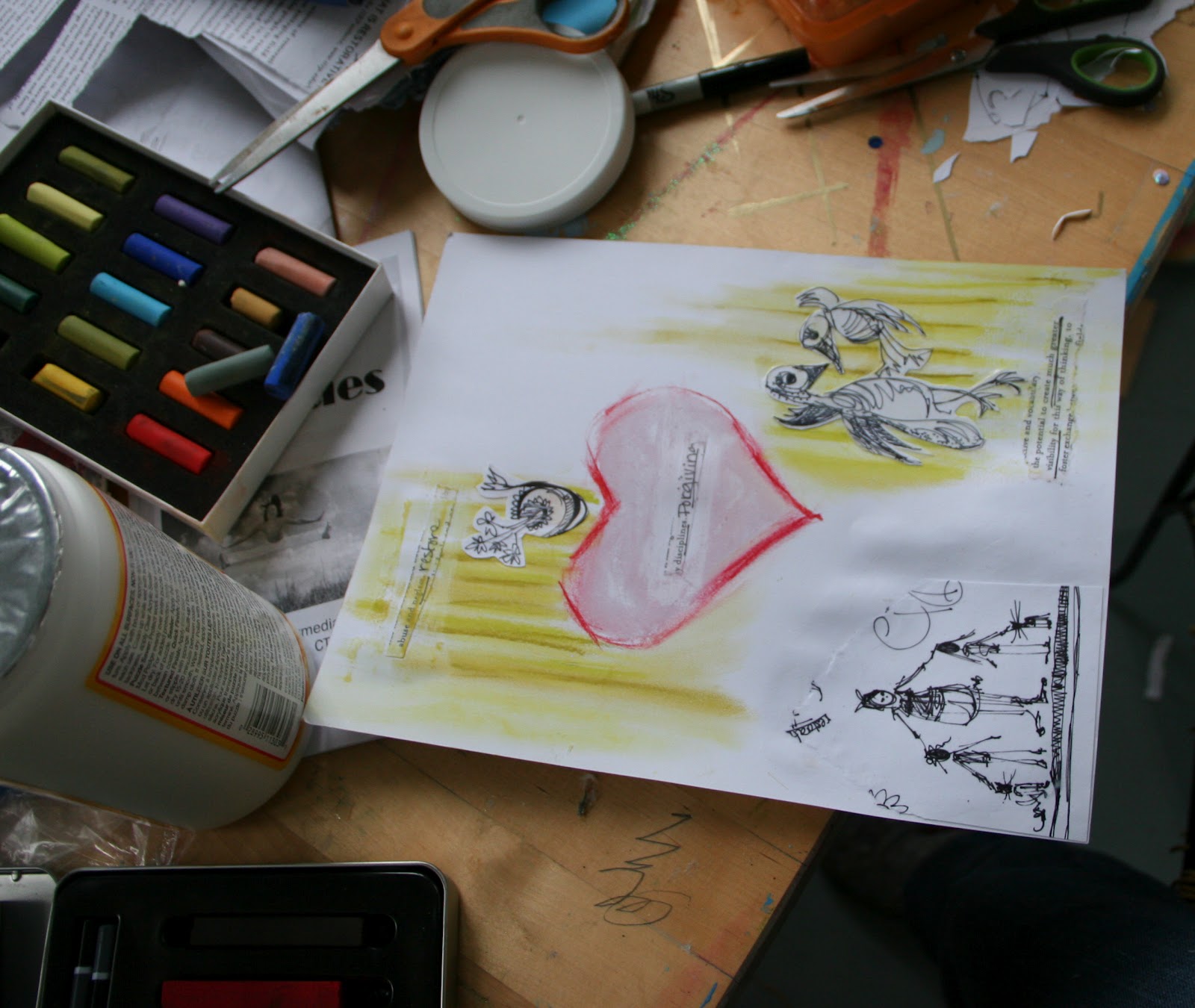
At a recent teacher workshop I was given a hand-out that contained a lot of information.  As the speaker presented I was looking over the hand-out and spotted words that resonated with me.  I underlined these words, drew designs around them, and began to doodle pictures that came to mind.  My doodling helped me better understand what the speaker was trying to get across and I was inspired to create a collage.  I first ripped and cut the words out from the hand-out then I used mod-podge (acrylic gel medium) to glue them to Bristol board.  I then began to layer pastels, mixing them with mod-podge.  The piece was spontaneous, like a doodle. Try this for a sketchbook assignment-you can add photographs, use marker, pastel, ink...etc.  Over the next week think about words your hear or see…maybe you will be inspired by words in a song or during a lecture in school. 


A book I find inspirational is:
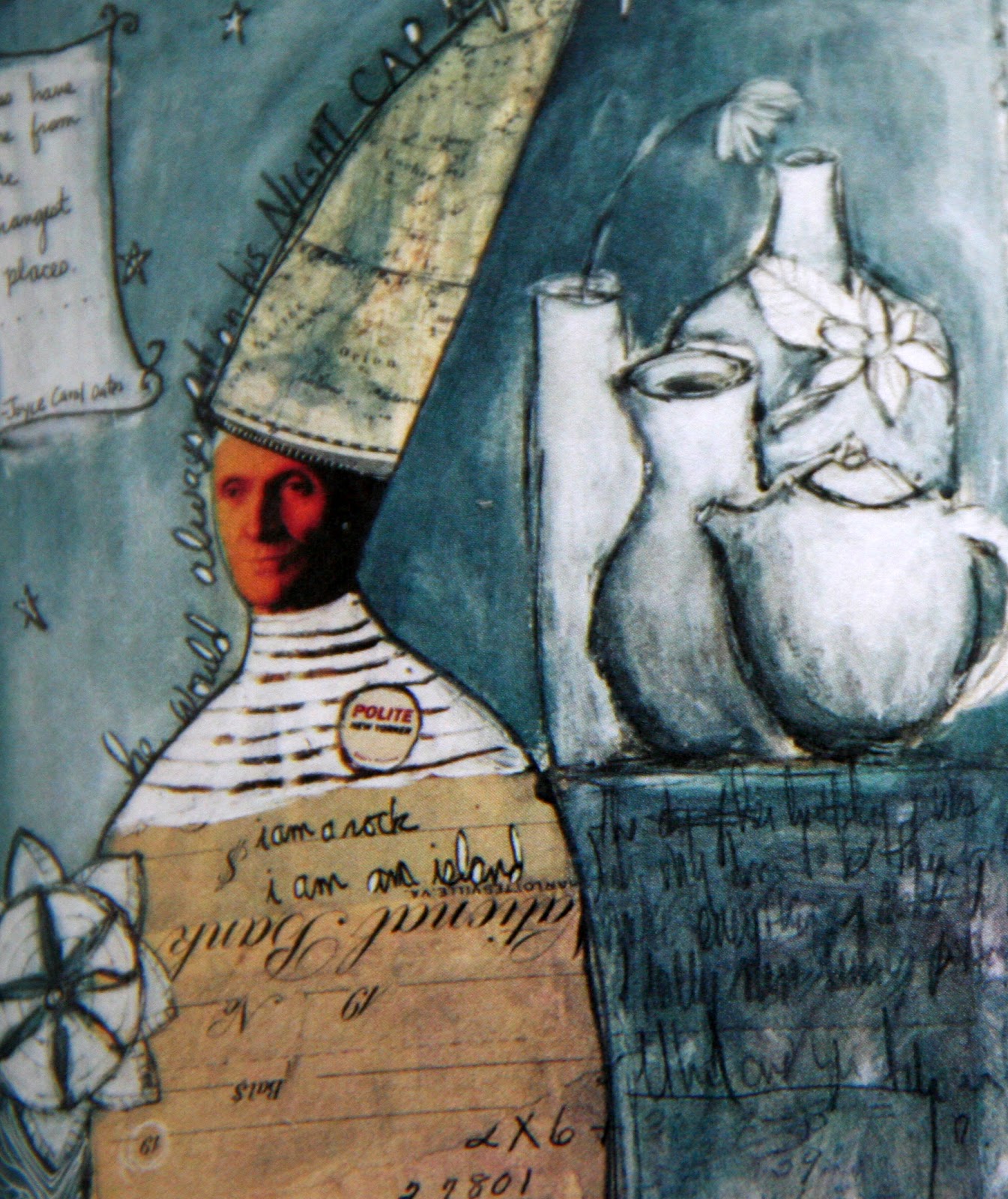
Unfurling, A Mixed-Media Workshop with Misty Mawn: Inspiration and Techniques for Self-Expression through Art. The collages below are examples of her work.  Her work is multi-faceted and so much fun to look at.  I especially enjoy the way she incorporates a still-life into this collage.
Collage by Mysty Mawn


Collage by Mysty Mawn

Monday, November 12, 2012

Creating a Shape Tween


Designing for the Web

When you create a shape tween you morph one shape into another.  It is relatively easy and fun to make!  Follow the guidelines in the shape tween lesson and you will be on your way to designing in Flash.


Friday, November 9, 2012

Street Art

Advanced Drawing and Painting


Art expresses the human experience.  It tells a story about us. Check out these creative street artists  and choose one that expresses something you can relate to. Write about what you find intriguing about the art.  I really love the one above because it reminds me of being a child. I love the monumental size of the hands-someone might think, just for a second that someone is casting their shadow on the wall.  An unexpected surprise!